Unused files
The following files exist but are not embedded in any page. Please note that other websites may link to a file with a direct URL, and so may still be listed here despite being in active use.
Showing below up to 50 results in range #1,101 to #1,150.
-
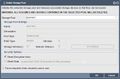 Del Storage Pool.jpg 640 × 420; 128 KB
-
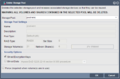 Qs delete pool.png 640 × 420; 28 KB
-
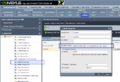 Modify Storage Pools.png 1,106 × 754; 115 KB
-
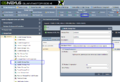 Qs storage pool modify.png 1,106 × 754; 115 KB
-
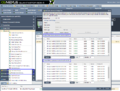 Qs pool add cache.png 1,300 × 982; 189 KB
-
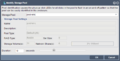 Qs storage pool identify.png 640 × 325; 21 KB
-
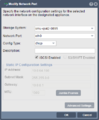 Qs modify network port.png 376 × 457; 23 KB
-
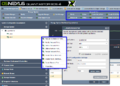 Qs network port mgmt.png 942 × 676; 100 KB
-
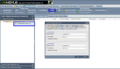 Create Storage Link.png 1,212 × 695; 87 KB
-
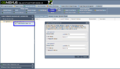 Qs storage system link create.png 1,212 × 695; 87 KB
-
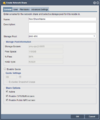 Qs network share create general.png 550 × 660; 31 KB
-
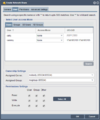 Qs network share create user.png 550 × 660; 31 KB
-
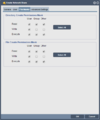 Qs network share create filemask.png 550 × 660; 20 KB
-
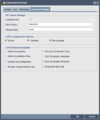 Qs network share create adv.png 550 × 660; 27 KB
-
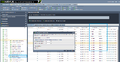 Qs volume qos controls.png 1,709 × 889; 196 KB
-
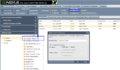 Qs share nfs config.png 1,241 × 719; 107 KB
-
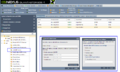 Qs add nfs access.png 1,294 × 773; 133 KB
-
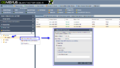 Qs nfs access modify.png 1,322 × 754; 104 KB
-
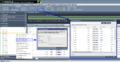 Qs volume delete.png 1,726 × 889; 199 KB
-
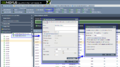 Qs volume create.png 1,407 × 782; 156 KB
-
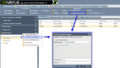 CIFS Configuration.png 1,231 × 695; 103 KB
-
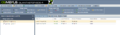 Qs sys link created.png 1,332 × 388; 53 KB
-
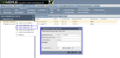 Qs sys link modify.png 1,321 × 634; 84 KB
-
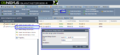 Qs sys link delete.png 1,209 × 552; 75 KB
-
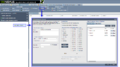 Qs remote replication sched create.png 1,602 × 893; 137 KB
-
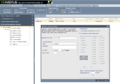 Qs remote replication sched modify.png 1,339 × 939; 128 KB
-
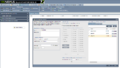 Qs remote replication sched interval.png 1,585 × 894; 134 KB
-
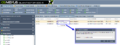 Qs iscsi session drop.png 1,322 × 497; 89 KB
-
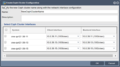 Create Ceph Cluster Cnfg.png 614 × 345; 69 KB
-
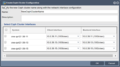 Create Ceph Cluster Configure.png 614 × 345; 69 KB
-
 Workflow - Basic.png 685 × 247; 55 KB
-
 Workflow - Block Storage.png 685 × 248; 60 KB
-
 Workflow - File Storage.png 685 × 248; 70 KB
-
 Workflow - Grid Setup.png 685 × 247; 43 KB
-
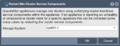 Restart Cluster Services.png 427 × 164; 59 KB
-
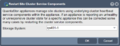 Restart Cluster Service.png 427 × 164; 59 KB
-
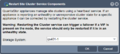 Restart Cluster Site Service.png 267 × 120; 35 KB
-
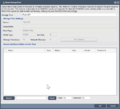 Grow Store Pool.png 439 × 398; 54 KB
-
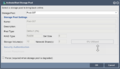 Start Stor Pool.png 375 × 217; 30 KB
-
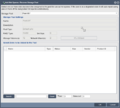 Add Recover Stor Pool.png 439 × 396; 45 KB
-
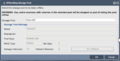 Stop Stor Pool.png 375 × 191; 33 KB
-
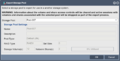 Export Stor Pool.png 375 × 191; 38 KB
-
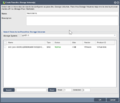 Storage Volume Passthru.png 440 × 378; 40 KB
-
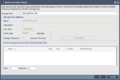 Remove Hot Spare Disk.png 440 × 293; 43 KB
-
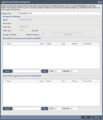 Add Cache to Pool.png 439 × 513; 71 KB
-
 Remove Cache Device.png 440 × 399; 54 KB
-
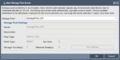 Start Storage Pool Scrub.png 375 × 188; 40 KB
-
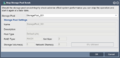 Stop Storage Pool Scrub.png 375 × 181; 30 KB
-
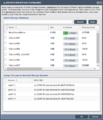 Add iSCSI SAN.png 352 × 410; 77 KB
-
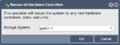 Rescan Controller.png 228 × 86; 14 KB


