Uncategorized files
Jump to navigation
Jump to search
Showing below up to 50 results in range #4,151 to #4,200.
-
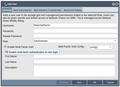 User add enable mfa tooltip.png 607 × 439; 44 KB
-
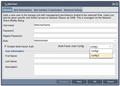 User add select config.png 608 × 438; 44 KB
-
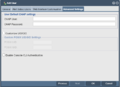 User adv settings.png 903 × 658; 31 KB
-
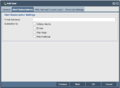 User alerts.png 902 × 663; 27 KB
-
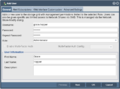 User create.png 901 × 665; 51 KB
-
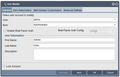 User modify enable mfa checkbox.png 607 × 388; 32 KB
-
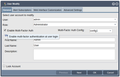 User modify enable mfa tooltip.png 606 × 387; 34 KB
-
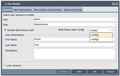 User modify select config.png 608 × 387; 34 KB
-
 User web access.png 902 × 659; 55 KB
-
 Users & Groups Ribbon Bar.jpg 1,024 × 68; 21 KB
-
 V-Box-Ver7-1-10 Config HardDrive.png 866 × 587; 93 KB
-
 V-Box-Ver7-1-10 Config Hardware.png 858 × 552; 77 KB
-
 V-Box-Ver7-1-10 Destructive Action.png 2,295 × 1,711; 272 KB
-
 V-Box-Ver7-1-10 Disk Select QuantaStor.png 2,299 × 1,717; 101 KB
-
 V-Box-Ver7-1-10 Install QuantaStor onto VM.png 1,018 × 763; 15 KB
-
 V-Box-Ver7-1-10 KVM Open.png 544 × 305; 19 KB
-
 V-Box-Ver7-1-10 Login to QuantaStor VM Console.png 2,280 × 1,693; 152 KB
-
 V-Box-Ver7-1-10 Net Connection.png 1,272 × 797; 17 KB
-
 V-Box-Ver7-1-10 Power On VM.png 810 × 406; 42 KB
-
 V-Box-Ver7-1-10 Summary QuantaStor Config.png 3,831 × 1,994; 174 KB
-
 V-Box-Ver7-1-10 Summary QuantaStor Configuration.png 3,831 × 1,994; 182 KB
-
 VB add SAS Controller.png 657 × 491; 59 KB
-
 VB add SAS Disk.png 657 × 491; 54 KB
-
 VM-Ware-V-Workstation-17 Customize-Hardware--1.png 1,754 × 981; 159 KB
-
 VM-Ware-V-Workstation-17 Finishing&Power-On--1.png 1,718 × 965; 169 KB
-
 VM-Ware-V-Workstation-17 MEM-alocation--1.png 2,861 × 1,606; 266 KB
-
 VM-Ware-V-Workstation-17 Network-Settings--1.png 2,871 × 1,613; 248 KB
-
 VM-Ware-V-Workstation-17 New-VM-1--1.png 3,629 × 2,041; 180 KB
-
 VM-Ware-V-Workstation-17 Processor-Amount--1.png 2,857 × 1,602; 212 KB
-
 VMWareWorkStationPro17 Config-ISO.png 1,848 × 1,039; 173 KB
-
 VMWareWorkStationPro17 Config-Name&Loc.png 1,738 × 977; 123 KB
-
 VMWareWorkStationPro17 Config-Size&Type.png 1,712 × 963; 168 KB
-
 VMWareWorkStationPro17 Config-Typical.png 1,814 × 1,019; 233 KB
-
 VMware EUI Web.jpg 1,024 × 481; 122 KB
-
 VMware EUI Web6.jpg 1,024 × 366; 92 KB
-
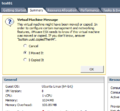 VMware Import Message I Moved It.png 414 × 383; 31 KB
-
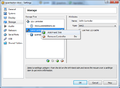 Vbox addharddisk.png 657 × 480; 61 KB
-
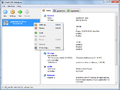 Vbox settings.png 786 × 588; 80 KB
-
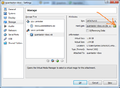 Vbox vmm.png 657 × 480; 68 KB
-
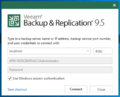 Veeam1.PNG 669 × 540; 81 KB
-
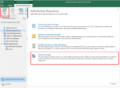 Veeam2.PNG 2,226 × 1,632; 853 KB
-
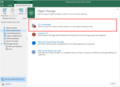 Veeam3.PNG 2,229 × 1,615; 727 KB
-
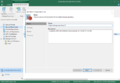 Veeam4.PNG 1,533 × 1,059; 194 KB
-
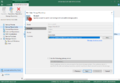 Veeam5.PNG 1,533 × 1,059; 220 KB
-
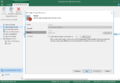 Veeam6.PNG 1,533 × 1,059; 206 KB
-
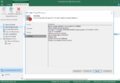 Veeam7.PNG 1,533 × 1,059; 226 KB
-
 Veeam8.PNG 1,533 × 1,059; 205 KB
-
 Veeambackup2.PNG 3,824 × 2,045; 303 KB
-
 Veeambackupwindows1.PNG 3,832 × 2,046; 291 KB
-
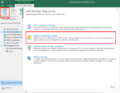 Veeamnas1-1.PNG 1,797 × 1,399; 619 KB


